Support our educational content for free when you buy through links on our site. Learn more

How Do I Create My Own Music? 🎶 11 Expert Steps to Start (2025)

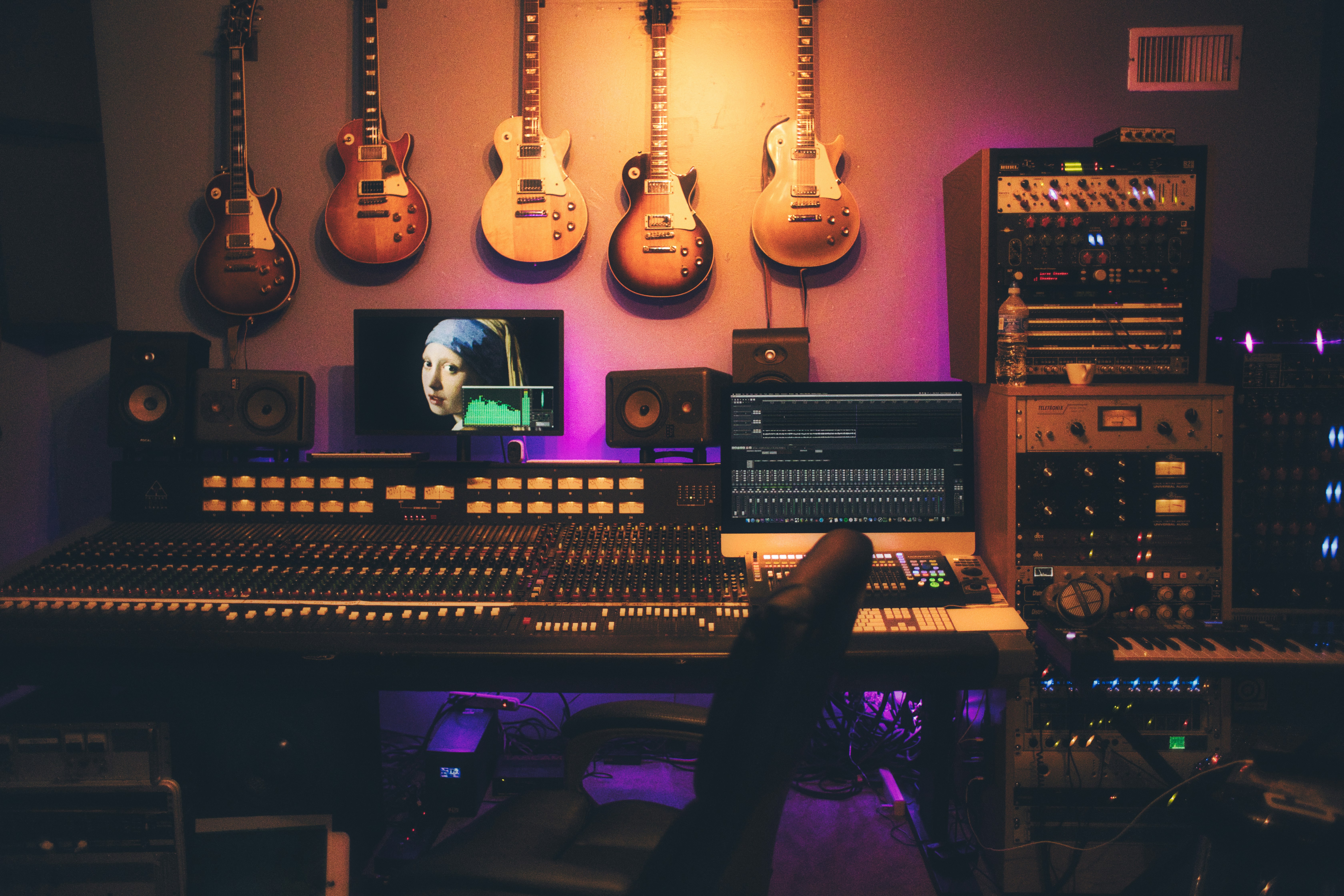
Have you ever caught yourself humming a tune and wondered, “How do I create my own music that sounds just as good as the pros?” You’re not alone! The good news? Thanks to today’s technology and insider know-how, making your own music is more accessible—and fun—than ever before. From laying down your first beat to mastering your final track, this guide from the musicians and producers at Make a Song™ will walk you through 11 essential steps to turn your ideas into chart-ready songs.
Did you know that independent artists now make up the fastest-growing segment of the music industry? That means your bedroom productions can reach millions worldwide! Later, we’ll reveal pro tips on choosing the perfect DAW, crafting catchy melodies, collaborating remotely, and even monetizing your music. Plus, we’ll share secrets on overcoming common hurdles like muddy mixes and writer’s block. Ready to unleash your inner artist? Let’s dive in!
Key Takeaways
- Start with the right tools: Choose a DAW that fits your style and invest in essential gear like an audio interface and studio headphones.
- Master the basics of music theory: Simple chord progressions and scales can unlock endless creative possibilities.
- Build your track step-by-step: From drums to vocals, layering your song thoughtfully leads to professional results.
- Leverage samples and plugins: Use industry-quality sounds from platforms like Splice to enhance your productions.
- Collaborate and share easily: Cloud-based tools and file sharing make remote teamwork seamless.
- Mix and master smartly: Learn essential techniques or use AI-powered services like LANDR for polished sound.
- Protect and monetize your work: Understand copyright basics and explore distribution channels like DistroKid and Bandcamp.
👉 Shop Recommended Gear:
- Audio Interfaces: Focusrite Scarlett 2i2 on Amazon | Sweetwater
- MIDI Controllers: Akai MPK Mini on Amazon | Guitar Center
- Studio Headphones: Audio-Technica ATH-M50x on Amazon | Audio-Technica Official
Table of Contents
- ⚡️ Quick Tips and Facts About Creating Your Own Music
- 🎵 The Evolution of Music Creation: From Instruments to Digital Studios
- 1. Getting Started: Essential Gear and Software for Music Production
- 2. Crafting Your Sound: Composition, Arrangement, and Songwriting Tips
- 3. Create & Record Easily with Powerful Tools and Sounds, All in One Place
- 4. Industry-Quality Sounds Delivered Regularly: Sample Packs and Plugins
- 5. Collaborate Like a Pro: Working with Musicians and Producers Remotely
- 6. Mix and Master for a Chart-Ready Sound: Tips from the Pros
- 7. More Features to Enhance Your Music Creation Workflow
- 8. Music Maker Resources: Tutorials, Communities, and Inspiration
- 9. Protect Your Creations: Understanding Music Copyright and Licensing
- 10. Monetize Your Music: Strategies to Earn from Your Own Tracks
- 11. Troubleshooting Common Challenges in DIY Music Production
- Conclusion: Your Journey to Creating Your Own Music Starts Now!
- Recommended Links for Aspiring Music Creators
- FAQ: Answers to Your Burning Questions About Making Music
- Reference Links and Further Reading
Here is the main body of the article, written according to your specifications.
⚡️ Quick Tips and Facts About Creating Your Own Music
So, you’ve got a fire in your belly and a melody in your head? Welcome to the club! Before we dive deep into the rabbit hole of music creation, let’s get you warmed up with some essential, bite-sized nuggets of wisdom. Think of this as the soundcheck before the main show.
- ✅ You Don’t Need a Million-Dollar Studio: Seriously. Some of the biggest hits were born in bedrooms. Billie Eilish’s groundbreaking album WHEN WE ALL FALL ASLEEP, WHERE DO WE GO? was famously recorded in her brother Finneas’s small bedroom studio. The tools to make music are more accessible than ever.
- 🧠 Your Brain on Music: Creating music is a full-brain workout! It engages both the analytical left hemisphere (for structure and theory) and the creative right hemisphere (for melody and emotion). It’s like sudoku and finger-painting at the same time, but way cooler.
- 💻 The DAW is Your Command Center: A Digital Audio Workstation (DAW) is the primary software you’ll use. It’s your multitrack recorder, mixing desk, and instrument library all rolled into one. Choosing one can feel like choosing a life partner, but we’ll help you find “the one.”
- ❌ Don’t Fear Music Theory: You don’t need a degree from Juilliard to write a great song. Understanding some basics—like scales and common chord progressions—is like learning the rules of grammar. It helps you express your ideas more clearly. Check out our Instrument Tutorials for easy-to-digest lessons.
- 🎧 Good Headphones are Non-Negotiable: How can you mix what you can’t hear accurately? A decent pair of studio headphones is one of the most crucial first investments. They are your sonic microscope.
- 📈 The DIY Music Market is Booming: According to a 2023 report by MIDiA Research, independent artists are the fastest-growing segment of the global recorded music business. You’re joining a revolution!
- 🤖 AI is Your New Bandmate: Tools like LANDR for mastering and even generative music apps are changing the game. Don’t be scared of them; learn to use them as powerful assistants.
Think you’re ready to plug in? Let’s take a quick trip back in time to see how we got here.
🎵 The Evolution of Music Creation: From Instruments to Digital Studios
Ever wonder how The Beatles managed to create Sgt. Pepper’s with just four tracks on their tape machine? It was a feat of sheer genius and painstaking effort, involving bouncing tracks and committing to decisions permanently. Wild, right?
Here at Make a Song™, we’ve seen it all. Some of our older producers remember the days of splicing analog tape with razor blades and literally getting their hands dirty. The process was expensive, required a ton of space, and one mistake could ruin hours of work.
A Quick Timeline of DIY Recording:
| Era | Key Technology | The Vibe |
|---|---|---|
| 1950s-70s | Reel-to-Reel Tape Machines | Expensive, complex, requires a dedicated room. The birth of the professional studio. |
| 1980s | 4-Track Cassette Recorders (like the TASCAM Portastudio) | The revolution begins! Artists can now demo and record albums in their bedrooms. Gritty, lo-fi, and liberating. |
| 1990s | ADAT, Digital Recorders, Early DAWs | The digital shift. Still clunky and expensive, but the “undo” button was born. A game-changer! |
| 2000s-Today | Powerful Laptops, Affordable Software (DAWs), Plugins | The complete democratization of music. A professional-sounding track can be made on a laptop on a plane. |
This evolution means that the only thing standing between you and a finished song is knowledge and dedication. The financial and technical barriers have crumbled. As the makers of the “Song Maker: Music Mixer” app put it, you can “Start your own mixing and jam sessions like a DJ without a studio.” The power is literally at your fingertips.
1. Getting Started: Essential Gear and Software for Music Production
Alright, let’s build your creative cockpit. You don’t need to buy everything at once, but understanding the key components is crucial. Think of it as assembling your own superhero suit. Every piece has a purpose.
Choosing the Right Digital Audio Workstation (DAW)
The DAW is the heart of your DIY Recording Studio. It’s where you’ll arrange, record, edit, and mix your music. Most modern DAWs can do everything, but they have different workflows and strengths. It’s like choosing between a Mac and a PC—both are powerful, but the user experience is different.
Here’s our breakdown of the most popular choices:
| DAW | Best For | Learning Curve | Our Take |
|---|---|---|---|
| Ableton Live | Electronic Music, Live Performance, Creative Workflow | Moderate | The king of creative looping and non-linear songwriting. Its “Session View” is a sketchpad for ideas. If you think in loops and scenes, this is your soulmate. |
| FL Studio | Hip Hop, EDM, Beat Making | Easy to Moderate | Famous for its lightning-fast pattern-based sequencer. It’s incredibly fun and visual. Many of today’s top producers started here and never left. |
| Logic Pro | All-round Songwriting, Mixing (Mac Only) | Easy to Moderate | The best value for Mac users. It comes packed with an insane amount of high-quality virtual instruments, loops, and effects. A complete package out of the box. |
| Pro Tools | Industry Standard Recording & Mixing | Steep | This is the software you’ll find in most professional recording studios worldwide. It’s a powerhouse for audio editing and mixing, but can be less intuitive for initial creation. |
| Reaper | Customization, Budget-conscious Users | Moderate to Steep | The underdog champion. It’s incredibly lightweight, powerful, and fully customizable. It has a very generous trial period and an affordable license. |
Our Recommendation:
Don’t overthink it! Download the free trials for 2-3 of these and see which one feels right. Your creativity will flow best in an environment you enjoy.
Must-Have Hardware: Audio Interfaces, MIDI Controllers, and More
Software is only half the story. You need a way to get sound in and out of your computer and a way to physically interact with your music.
- Audio Interface: This is the translator between the analog world (your microphone, your guitar) and the digital world (your computer). It provides high-quality inputs for recording and outputs for your speakers and headphones, with much better fidelity than your computer’s built-in sound card.
- Our Pick for Beginners: The Focusrite Scarlett 2i2. It’s the Toyota Camry of interfaces: reliable, affordable, and does the job perfectly.
- MIDI Controller: This is a keyboard (or pad controller) that sends musical data (MIDI) to your computer. It doesn’t make sound on its own; it tells the virtual instruments in your DAW what notes to play. It’s essential for playing melodies and programming drums.
- Our Pick for Beginners: The Akai MPK Mini or the Novation Launchkey Mini. They’re compact, versatile, and packed with useful features.
- Studio Headphones: You need headphones that provide a “flat” frequency response, meaning they don’t artificially boost the bass or treble. This ensures you’re hearing an accurate representation of your mix.
- Our Top Picks: The Audio-Technica ATH-M50x (a studio workhorse) or the Beyerdynamic DT 770 PRO (incredibly detailed and comfortable for long sessions).
- Microphone: If you plan on recording vocals, acoustic guitar, or anything else in the real world, you’ll need a mic.
- For Versatility: The Shure SM58 is a legendary dynamic mic that’s nearly indestructible. Great for vocals and instruments.
- For Studio Vocals: The Audio-Technica AT2020 is a fantastic entry-level condenser microphone that delivers crisp, detailed recordings.
👉 Shop Essential Hardware:
- Focusrite Scarlett 2i2: Amazon | Sweetwater | Guitar Center
- Akai MPK Mini: Amazon | Sweetwater | Guitar Center
- Audio-Technica ATH-M50x: Amazon | Sweetwater | Audio-Technica Official Website
2. Crafting Your Sound: Composition, Arrangement, and Songwriting Tips
You’ve got the gear. Now for the magic. This is where you turn those blinking lights and software windows into actual music that makes people feel something. Don’t worry, you don’t have to be a prodigy.
Understanding Music Theory Basics for Creators
Let’s bust a myth: music theory isn’t a set of rigid rules. It’s a collection of observations about what sounds good to the human ear. Learning a little bit goes a long way.
- The Key and Scale: Think of the key as the “home base” for your song. The scale is the family of notes that sound good within that key. Start with C Major—it’s all the white keys on the piano. Easy!
- Chords: These are the harmonic foundation of your song. Most pop, rock, and hip-hop songs are built on just a few simple chords. Learn the I-V-vi-IV progression (in C Major, that’s C – G – Am – F). You’ll be shocked at how many hit songs you can play with just those four chords.
- Rhythm and Tempo: Tempo (measured in BPM, or Beats Per Minute) is the speed of your song. Rhythm is the pattern of notes and silences over that tempo. Tap your foot—that’s the foundation of your rhythm.
Feeling stuck on where to start with lyrics? Our Lyric Inspiration section is a goldmine of ideas and techniques.
Building Catchy Melodies and Harmonies
A melody is the part of the song you hum in the shower. It’s the star of the show.
- Start Simple: Don’t try to write a complex symphony on day one. Hum a simple idea into your phone’s voice recorder. Then, try to play it on your MIDI keyboard.
- Call and Response: Create a short musical phrase (the “call”), then create a second phrase that answers it (the “response”). This simple technique creates a satisfying musical conversation.
- Use Repetition (Wisely): Repetition is what makes a melody memorable. The trick is to repeat it enough to be catchy, but vary it slightly to keep it interesting.
- Steal Like an Artist: Listen to your favorite songs. What do you love about the melodies? Try to figure out what notes they’re using. Don’t plagiarize, but analyze and learn from the masters.
For more advanced techniques on crafting unforgettable tunes, be sure to explore our guides on Melody Creation.
3. Create & Record Easily with Powerful Tools and Sounds, All in One Place
This is where the rubber meets the road. Let’s fire up that DAW and lay down some tracks. The modern workflow is a beautiful thing, allowing you to build a song layer by layer, like a sonic lasagna.
A Simple Step-by-Step Workflow:
- Set Your Tempo: Start a new project and choose a BPM. Not sure? Tap along to a song you like and use a free BPM tap tempo tool online.
- Lay Down the Foundation (Drums): Drag a simple drum loop into a track or program your own beat using your DAW’s drum machine and your MIDI controller. Keep it simple: a kick on beats 1 and 3, and a snare on 2 and 4. Boom. You have a pulse.
- Add Harmony (Chords): Create a new “Instrument Track” and load up a piano or synth sound. Play in that I-V-vi-IV chord progression we talked about. Record a simple 4 or 8-bar loop.
- Find the Bassline: Create another instrument track with a bass sound. The easiest way to start is by playing the “root note” of each chord. So when the C chord plays, you play a C note on the bass. It glues the rhythm and harmony together.
- Record Your Melody or Vocals: Now for the main event! Create an “Audio Track.” Set the input to your audio interface channel where your microphone is plugged in. Put on your headphones, hit record, and sing or play your heart out. Don’t aim for perfection on the first take! Do a few passes and pick the best parts.
This process is non-destructive. You can move things, change sounds, and delete takes with a click. It’s a creative playground!
4. Industry-Quality Sounds Delivered Regularly: Sample Packs and Plugins
You don’t have to create every single sound from scratch. In fact, almost no one does. Welcome to the world of samples and plugins, your secret weapons for a professional sound.
- Sample Services: Think of these as a massive, cloud-based library of sounds. For a monthly subscription, you get access to millions of royalty-free drum loops, vocal chops, synth melodies, and one-shots created by top-tier producers.
- Our Top Pick: Splice. It’s the undisputed king. Its desktop app integrates with your DAW, making it seamless to find the perfect sound and drag it right into your project. It’s how countless hits are made.
- VST/AU Plugins: These are third-party instruments and effects that you can “plug in” to your DAW.
- Instruments (VSTi): These can be incredibly realistic emulations of real instruments (like Keyscape for pianos) or powerful synthesizers for creating brand new sounds (like Serum or Pigments).
- Effects (VST): These process your audio. Think of EQs, compressors, lush reverbs, and wild delays that go far beyond what’s included in your DAW. Companies like FabFilter, Soundtoys, and Valhalla DSP are industry favorites.
A word of advice from the trenches: it’s easy to get GAS (Gear Acquisition Syndrome). Start with the stock plugins in your DAW—they are more powerful than you think! Master them first before you spend a fortune on new toys.
5. Collaborate Like a Pro: Working with Musicians and Producers Remotely
Music is often a team sport. But what if your dream vocalist lives across the country? No problem. The internet has made remote collaboration easier than ever.
- Cloud-Based DAWs: Platforms like BandLab and the aforementioned Soundtrap are essentially DAWs that live in your web browser. You can invite collaborators into your project, and you can all work on the same session in real-time.
- Splice Studio: Included with a Splice subscription, this feature offers cloud backup with version control for your Ableton, Logic, and FL Studio projects. You can see every save and easily share the project with a collaborator.
- The Old-Fashioned Way (with a twist): Simply “stemming out” your project. This means you export each track of your song (drums, bass, vocals, etc.) as a separate audio file. Then you can send them to a collaborator using a service like WeTransfer or Dropbox for them to import into their own DAW. It’s a bulletproof method.
Collaboration can break you out of a creative rut and bring fresh perspectives to your track. Don’t be afraid to reach out to other musicians you admire online!
6. Mix and Master for a Chart-Ready Sound: Tips from the Pros
You’ve written and recorded all your parts. The song is there. But it sounds… a bit muddy. A bit quiet. A bit… amateur. Welcome to the crucial final stages: mixing and mastering.
What’s the Difference?
- Mixing: This is the process of balancing all the individual tracks in your session. You use tools like volume faders, panning, EQ, and compression to make sure every instrument has its own space and can be heard clearly. It’s about making the internal parts of the song work together.
- Mastering: This is the final polish applied to the single stereo file of your final mix. It involves subtle EQ, compression, and limiting to make the song loud, punchy, and ready for distribution on platforms like Spotify and Apple Music. It ensures your song sounds good on everything from earbuds to a club system.
Beginner’s Mixing Checklist:
- Gain Staging: Turn everything down! Before you even touch an EQ, adjust the volume of each track so that nothing is clipping (going into the “red”) and you have a rough balance.
- Panning: Create a stereo image. Pan some elements slightly to the left and others to the right. This creates width and clarity. Keep your kick, snare, and lead vocal mostly in the center.
- Subtractive EQ: Got a muddy sound? Instead of boosting frequencies you like, try cutting frequencies you don’t. Use an EQ to gently scoop out clashing frequencies in different instruments to give each one its own sonic space.
- Reverb & Delay: Use these effects on an “aux/send” track rather than directly on the channel. This glues the elements together in a shared space and saves CPU power.
Mastering used to be a dark art reserved for engineers in expensive, acoustically perfect rooms. While a professional mastering engineer is still the gold standard, AI-powered services have become shockingly good.
- AI Mastering Services: LANDR and iZotope Ozone’s Master Assistant use algorithms to analyze your track and apply professional-grade mastering chains. They are a fantastic way to get a loud, competitive master without the high cost. They’re also great learning tools, as you can see the settings they apply.
7. More Features to Enhance Your Music Creation Workflow
Once you’ve got the basics down, your DAW has a treasure trove of advanced features that can elevate your tracks from good to great.
- Automation: This is the secret to making your song feel alive and dynamic. You can “draw” or “record” changes to almost any parameter over time. Automate the volume of your vocal to make it louder in the chorus, pan a synth from left to right, or slowly increase the amount of reverb at the end of a phrase. It adds movement and emotion.
- Templates: Do you find yourself adding the same 5 reverb plugins and setting up your vocal chain the same way for every song? Save your session as a template! The next time you start a new song, all your favorite tracks and routing will be ready to go, saving you tons of time.
- Sidechain Compression: This is the “pumping” sound you hear in a lot of dance music. It’s a technique where the volume of one instrument (like a synth pad) is automatically ducked down whenever another instrument (like the kick drum) hits. This creates space for the kick to punch through the mix and adds a powerful rhythmic groove.
Exploring these features will unlock new levels of professionalism and creativity in your productions.
8. Music Maker Resources: Tutorials, Communities, and Inspiration
You are not alone on this journey! The internet is overflowing with incredible resources to help you learn, grow, and stay inspired.
- YouTube University: It’s free and it’s phenomenal. Channels like In The Mix, Andrew Huang, and Venus Theory offer world-class tutorials on everything from basic music theory to advanced sound design.
- Online Communities:
- Reddit: The r/wearethemusicmakers subreddit is a massive, supportive community where you can ask for feedback on your tracks, share tips, and discuss gear.
- Discord: Many producers and YouTubers have dedicated Discord servers that are fantastic for real-time chat and collaboration.
- Books: Don’t forget the old-school! Books like Rick Rubin’s The Creative Act: A Way of Being can provide profound insights into the artistic process, while technical manuals like The Mixing Engineer’s Handbook by Bobby Owsinski are essential references.
The key is to stay curious. Never stop learning.
9. Protect Your Creations: Understanding Music Copyright and Licensing
This might not be the sexiest part of making music, but it’s one of the most important. You’ve poured your soul into your song; you need to protect it.
- Copyright is Automatic: In the U.S. and many other countries, your work is copyrighted the moment you create it and fix it in a tangible form (like saving the project file or recording it). You own it.
- The Two Copyrights: Every recorded song has two copyrights:
- The Composition (©): This is the underlying melody and lyrics. The “song” itself.
- The Sound Recording (℗): This is the specific recording of that song. Also known as the “master.”
- Registering Your Copyright: While copyright is automatic, formally registering your work with the U.S. Copyright Office provides a public record of your ownership and is necessary if you ever need to sue for infringement.
- Performing Rights Organizations (PROs): If you want to get paid when your music is played on the radio, in a restaurant, or on TV, you need to join a PRO like ASCAP, BMI, or SESAC. They collect and distribute performance royalties on your behalf.
Understanding these basics is the first step toward treating your music not just as a hobby, but as a valuable asset. For a deeper dive, check out our Music Industry Insights.
10. Monetize Your Music: Strategies to Earn from Your Own Tracks
So you want to make some money from your music? Fantastic! There are more avenues for independent artists to earn revenue than ever before.
- Digital Distribution: Services like DistroKid, TuneCore, and CD Baby are the gatekeepers to the big leagues. For a small annual fee, they will upload your music to all the major streaming platforms (Spotify, Apple Music, Tidal, etc.) and collect the royalties you earn from streams and sales.
- Bandcamp: This is a platform that is famously artist-friendly. You can set your own prices for digital downloads and physical merchandise (like vinyl and t-shirts), and they take a much smaller cut than other platforms. It’s a direct-to-fan model that works.
- Sync Licensing: This is when your music is “synced” to visual media like a TV show, movie, commercial, or video game. It can be incredibly lucrative. You can pitch your music to music supervisors or use platforms like Taxi or Syncr to find opportunities.
- Selling Beats: If you’re skilled at making instrumentals, especially in genres like Hip Hop and R&B, you can sell or lease your beats to vocalists and rappers on platforms like BeatStars and Airbit.
11. Troubleshooting Common Challenges in DIY Music Production
The path of a music creator is paved with hurdles. But don’t worry, we’ve all been there. Here’s how to leap over some of the most common ones.
- Writer’s Block: The dreaded blank page.
- Solution: Change your environment. Try a different instrument. Use a random chord generator. Give yourself a crazy limitation, like “write a song using only three notes.” The goal is to break your routine and trick your brain into a new way of thinking.
- “My Mix Sounds Muddy”:
- Solution: This is almost always a problem of clashing frequencies in the low-mid range (around 200-500 Hz). Use a subtractive EQ to carve out space for each instrument. High-pass filter (cut the low-end) on instruments that don’t need it, like hi-hats and some synths.
- Tech Headaches (The “Apple Problem”): We see this all the time. A user on an Apple discussion forum had a classic modern problem: they’d made music, but their 512GB iPhone was too big to sync with their 256GB Mac to get the music onto their phone for review. This is where cloud solutions are your best friend.
- Solution: Instead of relying on old-school wired syncing, upload your finished tracks to a private SoundCloud link, a Dropbox folder, or even Google Drive. You can then stream or download them directly to your phone, no matter the storage size difference. It’s faster, easier, and a great way to share demos with friends.
The most important thing is to be patient with yourself. Every problem has a solution, and every mistake is a learning opportunity. Keep creating
Conclusion: Your Journey to Creating Your Own Music Starts Now!
Phew! That was quite the sonic journey, wasn’t it? From understanding the history of music creation to mastering the latest DAWs, from laying down your first beat to polishing your track for the world to hear — you now have a comprehensive roadmap to create your own music like a pro. Remember, the best studio is the one you have access to, and the best instrument is your creativity.
We touched on how tools like Song Maker: Music Mixer empower anyone to start jamming without a studio, and how industry-standard gear and software can elevate your sound. Whether you’re a bedroom producer or an aspiring artist looking to collaborate globally, the possibilities are endless. And if you ever hit a snag—be it writer’s block, muddy mixes, or tech headaches—you now have practical solutions and resources to keep you moving forward.
So, what about that lingering question: Can you really make chart-ready music from your laptop? Absolutely! With dedication, smart use of tools, and a sprinkle of inspiration, your music can stand shoulder to shoulder with the pros. The key is to start, keep learning, and never stop experimenting.
Now, go ahead—plug in, press record, and let your unique sound be heard. The world is waiting for your song! 🎶
Recommended Links for Aspiring Music Creators
Ready to gear up and dive deeper? Here are some of our top picks for gear, software, and books to fuel your music-making journey:
-
Focusrite Scarlett 2i2 Audio Interface:
Amazon | Sweetwater | Guitar Center -
Akai MPK Mini MIDI Controller:
Amazon | Sweetwater | Guitar Center -
Audio-Technica ATH-M50x Studio Headphones:
Amazon | Sweetwater | Audio-Technica Official Website -
Books to Inspire and Educate:
-
DAW Trials and Downloads:
- Ableton Live
- FL Studio
- Logic Pro (Mac only)
- Reaper
-
Sample Libraries and Plugins:
FAQ: Answers to Your Burning Questions About Making Music
What software do I need to make my own music?
You need a Digital Audio Workstation (DAW), which is the software that lets you record, edit, arrange, and mix your music. Popular DAWs include Ableton Live, FL Studio, Logic Pro, Pro Tools, and Reaper. Each has its own strengths and workflow, so try free trials to find your best fit. Many DAWs come with built-in instruments and effects, so you can start making music immediately without extra purchases.
How can I write a song with a catchy melody and meaningful lyrics?
Start with a simple melody—hum or play something that sticks in your head. Use basic music theory like scales and chord progressions (e.g., the classic I-V-vi-IV) to build harmony. For lyrics, write about what moves you personally; authenticity resonates with listeners. Use techniques like call and response, repetition, and storytelling. Don’t be afraid to revise and experiment. Our Lyric Inspiration section is packed with tips to spark your creativity.
What are the basic steps to recording and producing my own song at home?
- Set up your DAW and gear: Connect your audio interface, MIDI controller, and headphones.
- Create a beat or rhythm track: Lay down drums or percussion to set the tempo.
- Add harmony: Record or program chords with a virtual instrument.
- Add bassline: Support your harmony with bass notes.
- Record melody/vocals: Use a microphone or MIDI controller to capture your main ideas.
- Mix your tracks: Balance levels, pan instruments, and apply EQ and effects.
- Master the final mix: Apply subtle processing to polish and prepare your song for release.
How do I get started with music composition and creating my own unique sound?
Begin by learning some music theory basics—scales, chords, and rhythm. Experiment with different instruments and sounds to discover what resonates with you. Don’t hesitate to borrow ideas from your favorite artists and genres but add your personal twist. Use your DAW to sketch ideas quickly and iterate. Collaboration and feedback can also help refine your sound. Explore our Melody Creation tutorials for hands-on guidance.
How can I share and listen to my music on my phone if I have limited computer storage?
If syncing your phone with your computer is problematic due to storage limits (like the common issue discussed in the Apple Community thread), use cloud services instead. Upload your tracks to platforms like SoundCloud (private links), Dropbox, or Google Drive. Then stream or download them directly on your phone. This bypasses storage constraints and makes sharing with collaborators or friends effortless.
What are some affordable ways to get professional-sounding mixes and masters?
Start by learning mixing basics and using your DAW’s built-in plugins. For mastering, AI-powered services like LANDR or iZotope Ozone Master Assistant offer affordable, high-quality results. These tools analyze your track and apply mastering chains automatically. While not a substitute for a professional engineer, they’re excellent for beginners and can teach you about mastering concepts.
Reference Links and Further Reading
- Focusrite Scarlett 2i2 Official
- Akai MPK Mini Official
- Audio-Technica ATH-M50x Official
- Ableton Live Trial
- Splice Sample Library
- LANDR AI Mastering
- U.S. Copyright Office
- ASCAP Performing Rights Organization
- Apple Community Discussion: Making playlist of my OWN music that I am…
- MIDiA Research Report on Independent Artists
Ready to make your own music? Dive into our Make Music hub for more expert tips, gear reviews, and creative inspiration. Your stage is set—let’s hear your sound! 🎤🎹🎛️

